


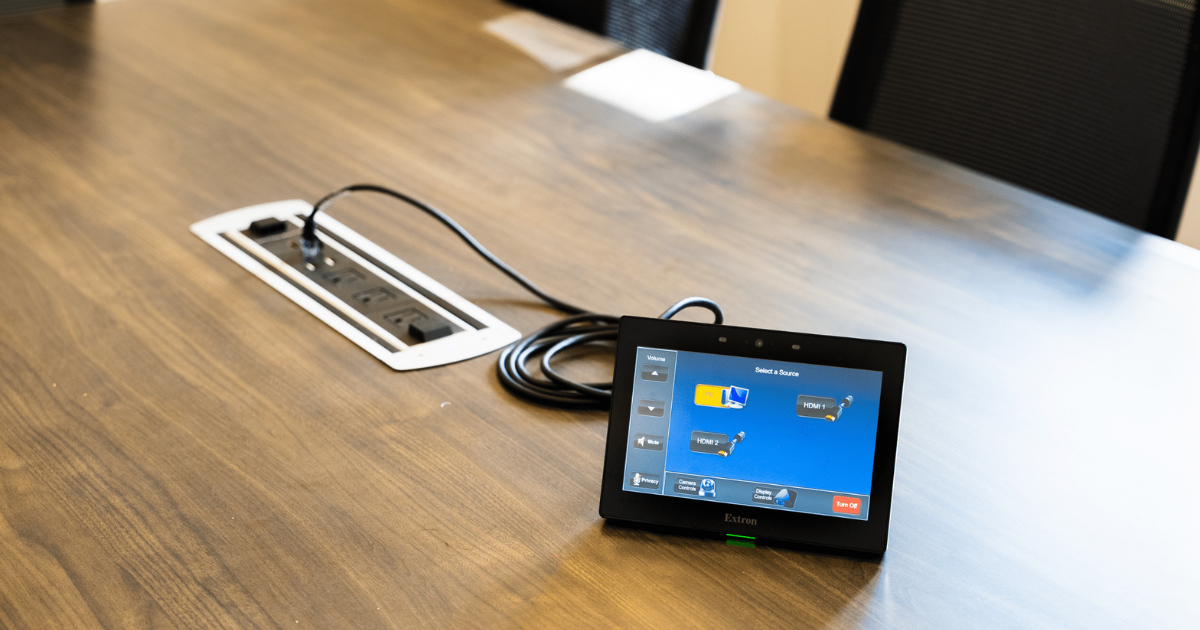
Walk into a well-designed conference room, touch one button, and the displays power on, the shades lower, the conferencing platform launches, and the camera adjusts to a wide-angle framing of the table. Walk out when the meeting ends, and everything shuts off on its own. That is an AV control system working exactly as it should.
Most people experience the results of an AV control system without ever thinking about what is actually happening behind the panel. But if you are responsible for specifying, procuring, or managing AV environments, understanding how an AV control system works gives you a meaningful advantage when evaluating vendors, reviewing proposals, and managing outcomes.
The Three Core Components
Every AV control system is built around three core elements: the control processor, the user interface, and the devices being controlled.
The control processor is the brain. It executes the programming logic that defines what happens when a user takes an action. The user interface is what the user interacts with: typically a touch panel, a button panel, or an app-based interface. The controlled devices are everything the processor can communicate with: displays, projectors, cameras, audio systems, lighting, shades, conferencing platforms, and anything else connected to the control network.
How Commands Flow Through the System
When a user taps “Start Meeting” on the touch panel, the interface sends that command to the control processor. The processor checks its programming logic and executes a sequence of commands: power on the display, switch the input to the conferencing platform, start the audio system at the preset volume level, launch the video conferencing application, and set the camera to the default framing. Each of those commands is sent to the relevant device through the appropriate control protocol.
The AV control system monitors the status of each device after sending commands and can adjust subsequent commands based on the device’s response. If a display doesn’t acknowledge the power command within a defined timeframe, the system can resend the command, notify IT, or execute a fallback procedure.
Control Protocols: How Devices Get Told What to Do
Different devices speak different control languages. Common protocols in AV control systems include RS-232 (serial communication for direct device control), IP-based commands over the network, IR (infrared signals for consumer devices), relay contacts for basic on/off control, and CEC (Consumer Electronics Control) for displays. A capable AV control processor can speak multiple protocols simultaneously, which is how a single touch panel can control displays, audio processors, cameras, and lighting from one interface.
Programming Defines the Experience
The programming in an AV control system is where the user experience is actually built. Good programming creates intuitive workflows that match how people actually use the space. Poor programming creates cluttered interfaces, unnecessary steps, and behaviors that frustrate users into calling IT. The hardware is the same. The experience is entirely determined by how well the system is programmed for the specific room and the specific user population.
Integration With UC Platforms
Modern AV control systems integrate directly with UC platforms like Microsoft Teams and Zoom. This integration enables touch panel controls that appear to start a Teams meeting to actually join the scheduled meeting from the room’s Teams Rooms device, with all participants added automatically. The integration makes the room feel like part of the platform rather than a separate piece of equipment that happens to be in the same room.
Design Control That Works for Everyone
Projectus designs and programs AV control systems across Portland that are built for real users and real meeting environments. If you want to understand how an AV control system can work for your specific spaces, talk with a Solutions Architect.