


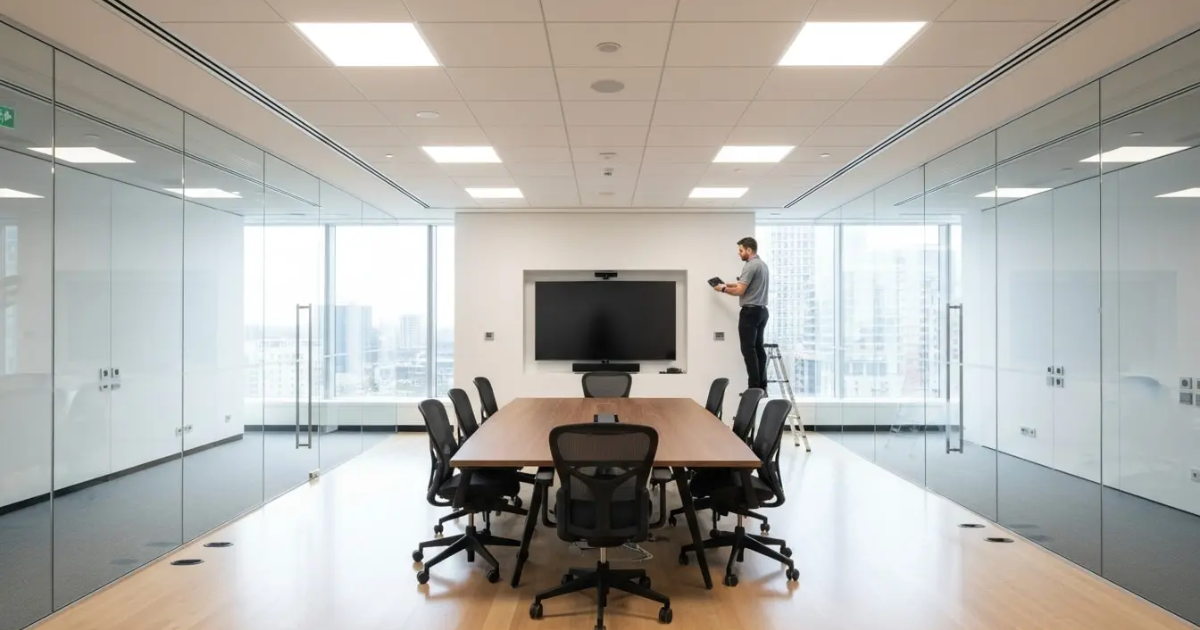
Moving into a new office is exciting, but it is also the moment when small oversights turn into daily headaches. You picture your first big client call in the new conference room, and you want the screen to turn on, the audio to sound clear, and the whole room to just work. That is exactly why you need a proper AV installation checklist for new office spaces before a single cable gets run.
Think of this as your roadmap. You are not just buying screens and speakers. You are building the nervous system of how your team will communicate, present, and collaborate for years to come. Get it right at the start, and you will barely think about your technology again. Get it wrong, and you will be fielding complaints for months. Let us walk through what actually belongs on your list.
Start With How Your People Actually Work
Before you look at a single piece of hardware, you need to understand how your team will use the space. Do you host client presentations, internal huddles, or company-wide town halls? Every one of those has different audio, video, and room requirements. This is the first item on any serious AV installation checklist, and skipping it is the number one reason new systems disappoint people within the first month.
Talk to the people who will actually use the rooms. Ask them what frustrated them at the old office. You will be surprised how often the answer is something simple, like not being able to hear the person at the far end of the table, or wasting the first five minutes of every meeting fumbling with cables.
Map Every Room Before You Map Any Equipment
Once you know how people will use the space, walk the floor plan room by room. A huddle room for two people does not need the same gear as a 20-person boardroom. Note the ceiling height, the amount of natural light, the wall types, and where power and data drops already exist. This mapping step keeps your AV installation checklist for new office spaces grounded in reality instead of guesswork.
Glass walls and open floor plans look great in a design rendering, but they create real acoustic challenges. Hard surfaces bounce sound around, which means voices get muddy on video calls. Flagging these rooms early lets your integrator plan for acoustic treatment before the drywall goes up, not after everyone is already complaining.
Cabling and Network Come Before Anything Else Gets Mounted
Here is where a lot of DIY setups fall apart. Displays and cameras get all the attention, but the cabling and network behind the wall are what make or break reliability. Structured cabling, adequate bandwidth, and dedicated network paths for your video conferencing traffic all need to be planned before construction wraps up.
If your new office is still under construction, this is your window to run the right cabling through the walls instead of relying on visible cords later. It is also cheaper to do it now than to retrofit a finished space six months from now.
Match Displays, Audio, and Control to Each Room
With your rooms mapped and your infrastructure planned, you can finally choose the gear. A small huddle space might just need a soundbar and a video bar. A large boardroom needs ceiling microphones, ceiling speakers, and a display sized for the distance people will sit from it. Control should be simple enough that anyone can walk in and start a meeting with one touch, no manual required.
This is the point where your AV installation checklist should also account for consistency. If every room feels different, your team has to relearn the technology every time they change spaces. Standardizing on a platform and control layout across your new office keeps training and support simple.
Test, Train, and Plan for Support After Go-Live
Do not consider the job done once the screens light up. Every room should be tested with a real meeting scenario, not just a quick power-on check. Walk through joining a call, sharing a screen, and adjusting volume the way your team actually will. Then train your staff so the first time they use the room is not also the first time they see how it works.
Finally, build ongoing support into your plan from day one. AV systems do not fail at installation. They fail months later when firmware goes stale or a cable works loose. A good AV installation checklist always ends with a support plan, not just an install date.
If you want a partner who handles every item on this AV installation checklist for new office spaces and sticks around long after installation day, talk to the team at Projectus. Since 1996, they have designed AV systems built for how people actually meet, not how a demo is staged, and they stay accountable for performance long after the last cable is run.