


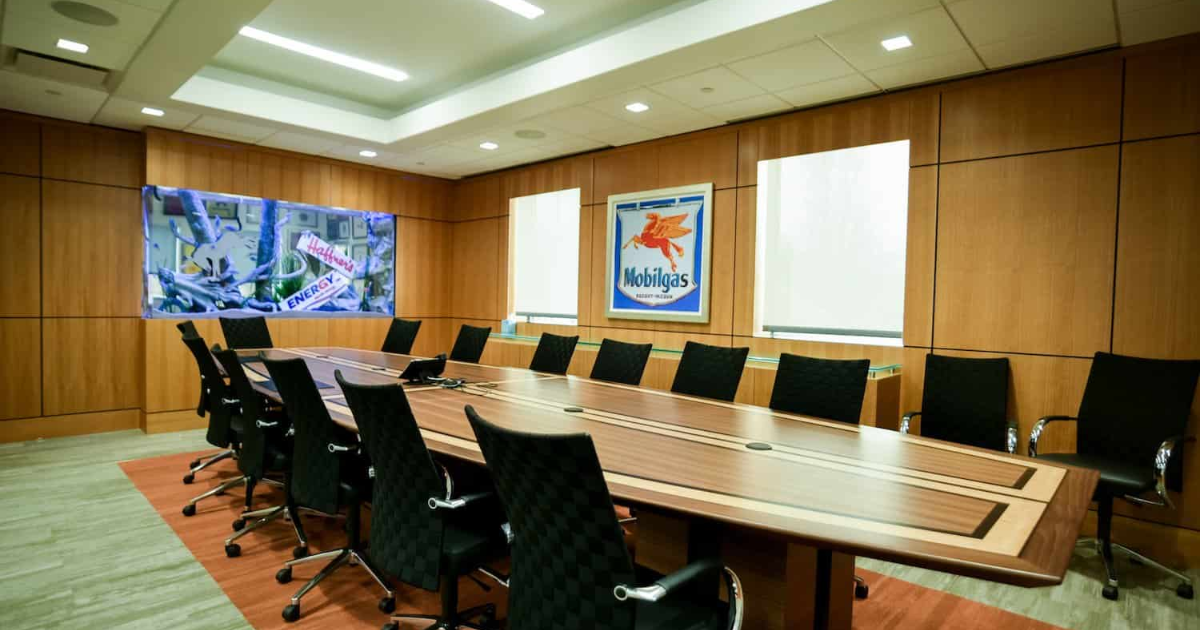
Picture this: your team just moved into a new office, and the conference room is basically an empty box with four walls and a table. You know meetings are going to happen in there every single day, yet the setup can make or break every one of them. Getting it right the first time is not just about aesthetics. It is about performance.
Knowing how to set up a modern conference room means thinking through every layer: the technology, the layout, the acoustics, and the integration. Whether you are building from scratch or upgrading an existing space, this guide walks you through what actually matters.
Start With The Room’s Purpose And Size
Before you buy a single cable, get clear on how the room will be used. Is it a formal boardroom for executive presentations? A collaborative huddle space for four to six people? Or a large training room for twenty plus? The answer shapes every decision that follows.
Room dimensions determine speaker placement, camera field of view, and display sizing. A 70-inch display looks impressive in a showroom but may be undersized in a long conference room. A good rule of thumb is one inch of display diagonal for every foot of viewing distance.
Choose The Right Display And Camera
For how to set up a modern conference room correctly, the display is your anchor. A 4K commercial display or an interactive flat panel gives you sharp visuals and durability for daily use. Consumer TVs are not built for this. They fade, burn in, and typically lack the inputs needed for professional use.
Your camera should be chosen based on the room’s size and layout. Small rooms do well with a wide-angle USB camera. Larger spaces need a PTZ camera with auto-tracking so remote participants can always see who is speaking.
Get The Audio Right Before Anything Else
Audio is the single most important component in any conference room setup. Poor audio kills remote collaboration faster than anything else. Ceiling array microphones, or a quality tabletop mic for smaller spaces, can make a massive difference in call quality.
Pair your microphone with echo cancellation and noise suppression technology. Speakers should be tuned to the room to avoid feedback and distortion. If the room has reflective surfaces like glass walls or hard floors, acoustic panels are worth considering.
Pick A Uc Platform And Stick With It
Understanding how to set up a modern conference room also means deciding on your UC platform. Zoom Rooms and Microsoft Teams Rooms are the two dominant options. Your choice should align with what your organization already uses and with whom your external partners connect with.
Once you pick a platform, configure a dedicated room system rather than relying on a laptop. A dedicated appliance ensures consistent performance and removes user error from the equation.
Add A Control System For Simplicity
A touchscreen control panel on the table or wall gives users one interface to manage everything. Volume, source selection, camera presets, room lighting, and even room booking can all be controlled from a single panel.
This is what separates a functional conference room from a frustrating one. Nobody should need a manual to start a meeting.
Think About Managed Support From Day One
Setting up the room is only part of the equation. The systems you deploy need maintenance, updates, and occasional troubleshooting. That is why working with a professional AV integrator who offers ongoing support matters.
The team at Projectus specializes in exactly this: designing, deploying, and supporting conference room environments that stay reliable long after installation. If you are planning a room build-out and want to know how to set up a modern conference room the right way, reach out to Projectus and talk to a solutions architect today.