


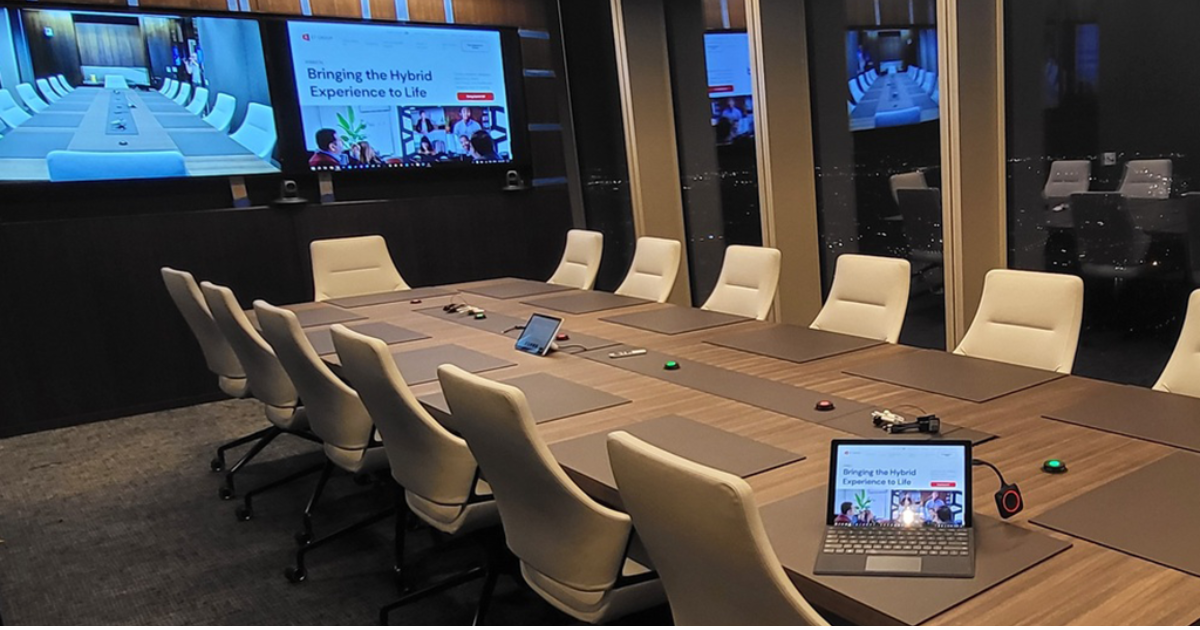
Picture this: your team walks into the conference room five minutes before an important client call. Someone fumbles with the display. The camera points at the ceiling. The audio cuts out. Sound familiar? This is not a technology problem. It is a design problem. And the good news is that it is entirely preventable.
When you design a modern conference room AV system properly, meetings start on time, every user can operate the room without help, and your IT team stops getting calls that begin with ‘the room is broken again.’ This guide walks you through how to get it right from the start.
Start With the Room, Not the Gear
The most common mistake organizations make is choosing equipment before understanding the space. Before you select a single display or microphone, you need to know the room’s dimensions, seating layout, acoustic properties, and how the space will actually be used day to day.
A training room for twenty people has completely different requirements than a huddle space for four. A room with hard floors and glass walls will create echo that no microphone can fully compensate for. When you design a conference room AV system around the real conditions of the space, you eliminate problems before they occur.
Audio Is the Foundation
If people can’t hear each other clearly, the meeting fails. It doesn’t matter how beautiful the display is. Speech intelligibility is the baseline standard every modern conference room AV system should be designed to meet.
For larger rooms, ceiling microphone arrays provide wide pickup coverage without cluttering the table. For smaller spaces, quality tabletop conferencing devices often perform well. The critical factor is coverage. Every seat needs to be within a microphone’s pickup range. Dead zones in the room translate directly into missed words and repeated conversations.
On the playback side, distributed speaker systems deliver even audio coverage across the room. Avoid relying on a single speaker in one corner if you want everyone in the room to have the same listening experience.
Camera Coverage That Serves Remote Participants
In a hybrid meeting environment, remote participants are only as engaged as your camera lets them be. A single fixed camera aimed at the front of the room works for presentations but fails the moment a conversation starts happening across the table.
Modern conference rooms benefit from cameras with auto-framing and speaker-tracking capabilities. These systems detect who is talking and frame them automatically, keeping remote participants visually connected to the conversation. For larger rooms, consider PTZ cameras that allow operators to adjust framing manually when needed.
Displays: Size, Placement, and Visibility
The general rule for display sizing is that the farthest viewer should be no more than six to eight times the screen height from the display. That means a standard 75-inch display works well for a room up to about 18 feet deep. Larger rooms require larger displays or multiple screens positioned so that every seat has a clear sightline.
Display placement matters just as much as size. Screens mounted too high create neck strain and poor camera angles. Screens mounted too low get blocked by seated participants. Eye-level placement, adjusted for the specific room layout, gives you the best visual experience for everyone in the space.
Control: Keep It Simple
The best conference room AV system design is one that users can operate without training. One-touch meeting start. Consistent button placement. The same experience in every room across your organization. When users walk in and immediately know how the room works, IT stops getting called for things that should just work.
Control systems should be programmed around real use cases, not feature lists. If your team only uses Teams and Zoom, the interface should reflect exactly that. Every additional option adds cognitive load and increases the chance of user error.
Network and IT Integration
Modern conference room systems live on your network. That means your IT team needs to be involved in the design process, not brought in after the fact. Network bandwidth requirements, VLAN segmentation, device management, and firmware update processes should all be defined before installation begins.
When AV systems are designed with IT in mind from the start, they become supportable, upgradable, and far less likely to cause the kind of problems that drain IT resources.
Ready to Get It Right?
Projectus has been designing and deploying enterprise conference room AV systems across Oregon since 1996. If you are planning a new space or upgrading an existing one, talk with a Solutions Architect about how to design a modern conference room AV system that serves your team today and scales with your organization tomorrow.
Learn more about smart conference room systems. Have questions? Contact us.