


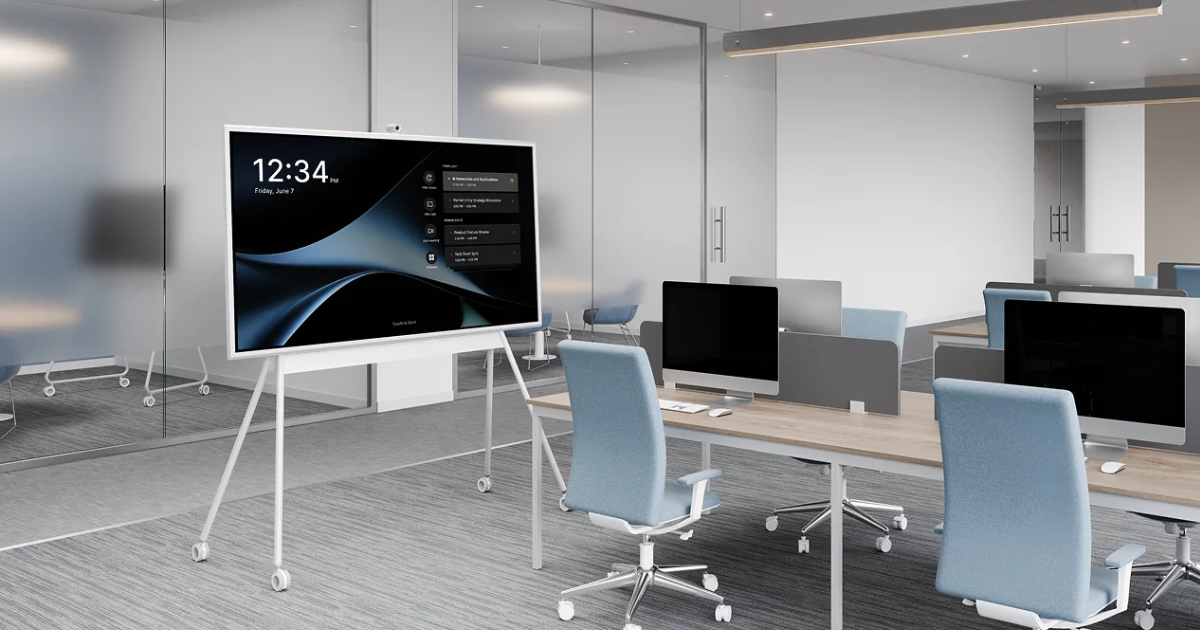
Planning a conference room AV installation without a structured checklist is like packing for a long trip without a list. You will probably remember most of what you need. You will absolutely forget something important. And unlike a forgotten toothbrush, a missing piece of your conference room AV equipment has a meeting-disrupting consequence that is visible to everyone in the room.
This conference room AV equipment checklist covers the essential components your meeting spaces need, organized by system category, so you can evaluate what you have, identify what is missing, and make procurement and deployment decisions from a complete picture rather than a partial one.
Displays and Visual Output
Your display is the visual anchor of the room. For most conference rooms, a commercial-grade LED display is the appropriate choice. Consumer displays are not designed for the duty cycles of a business environment and will fail faster. Size should be determined by the room’s viewing distance: the farthest viewer should sit no more than six to eight times the screen height from the display.
Larger rooms may require dual displays, a projection system, or an ultrawide display to provide adequate visual coverage for all participants. Your conference room AV equipment checklist should confirm that display size, brightness rating, and mounting position are all appropriate for the specific room.
Camera System
Your camera selection should match the room’s size and seating layout. Small rooms benefit from wide-angle cameras with a 110-120 degree field of view that captures the full table. Medium rooms benefit from cameras with optical zoom and auto-framing. Large rooms require PTZ cameras or systems with speaker-tracking intelligence that follows the conversation around the table.
Confirm that the camera appears on the certified hardware list for your organization’s platform (Teams or Zoom). Non-certified cameras introduce compatibility risk that is hard to predict and expensive to resolve.
Audio: Microphone and Speaker System
Audio is the most critical element of any conference room AV equipment setup and the most frequently underspecified. Every seat in the room must fall within the microphone’s pickup zone. For small rooms, tabletop conference devices often work well. For rooms with six or more participants, ceiling microphone arrays provide broader coverage without cluttering the table.
Speakers should deliver even coverage across all seating positions. Distributed speaker systems work better in larger rooms than single point-source speakers that cannot evenly cover the whole space.
Control System
Every conference room needs a control system, and that system should be designed for the simplest possible user experience. One-touch meeting start is the standard to design for. The conference room AV equipment should include a touch panel or control device with an interface that any user can operate without training.
Connectivity and Signal Distribution
Your checklist should include cable management, HDMI or DisplayPort connectivity for local content sharing, wireless sharing options for BYOD participants, and the network infrastructure that connects your AV systems to your UC platform and to IT management tools.
Don’t Forget the Network
The conference room AV equipment checklist is not complete without confirming that the network infrastructure supports the AV systems being installed. Bandwidth requirements, VLAN segmentation, and firewall configurations must be defined before installation to avoid rework.
Get Your Rooms Built Right
Projectus specifies and deploys complete conference room AV equipment environments across Oregon, including cities of Portland, Wilsonville, Gresham and more, using this checklist approach and more. Talk with a Solutions Architect to get a room assessment and a deployment plan built for your actual spaces.